Claude Code OpenAI Codex CLI Cursor Kiro

pip

When your AI gives up, pip it.

Claude Code / Codex not meeting expectations? PIP keeps AI from quitting, gives it methodology to succeed, and drives proactive problem-solving.

The Five AI Slacking Patterns

Claude Code looks busy but accomplishes nothing.

Pixel-Matching: 88.7% โ†’ 99.5%

ZenUML has two rendering paths (HTML/React and native SVG). The SVG renderer needed to pixel-match HTML output. AI kept spinning on anti-aliasing tweaks until PIP forced systematic investigation โ€” uncovering a 2px CSS box-model offset that fixed 83 pixels at once.
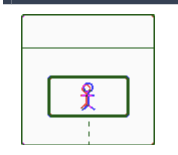
88.7% baseline
88.7%
Stage 1 โ€” Baseline
Heavy mismatch. Oversized icon, wrong stroke color. AI applies obvious fixes.
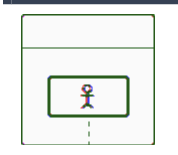
93.6% stuck
93.6%
Stage 2 โ€” Stuck
Scattered mismatches remain. AI starts spinning โ€” tweaking anti-aliasing parameters in circles.
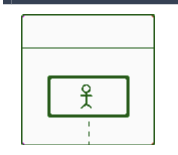
99.5% final
99.5%
Stage 3 โ€” PIP Activated
PIP forced: extract every mismatch pixel, categorize by region, measure element positions. Found 2px CSS offset โ€” 83 pixels fixed at once.
Read the full case study โ†’

Three Pillars of AI Accountability

Iron rules set the standard. Escalating pressure enforces it. Structured methodology makes success possible.

Three Iron Rules

Escalation Levels

5-Step Debugging

Install pip

Choose your platform. Takes 30 seconds.

# Install from marketplace
claude plugin marketplace add mrcoder/pip

# Or install directly
claude plugin install pip@pip-skills

Auto-triggers on repeated failures. Manual trigger: /pip

# Download skill file
mkdir -p ~/.codex/skills/pip
curl -o ~/.codex/skills/pip/SKILL.md \
  https://raw.githubusercontent.com/mrcoder/pip/main/codex/pip/SKILL.md
# Download rule file
mkdir -p .cursor/rules
curl -o .cursor/rules/pip.mdc \
  https://raw.githubusercontent.com/mrcoder/pip/main/cursor/rules/pip.mdc
# Download steering file
mkdir -p .kiro/steering
curl -o .kiro/steering/pip.md \
  https://raw.githubusercontent.com/mrcoder/pip/main/kiro/steering/pip.md